

USE CASES
Use cases
Reports, spreadsheets, documents and research. Describe it once and get back files you can use.
TWO MODES
Office and code
One app, two modes, each with the right tools and permissions.
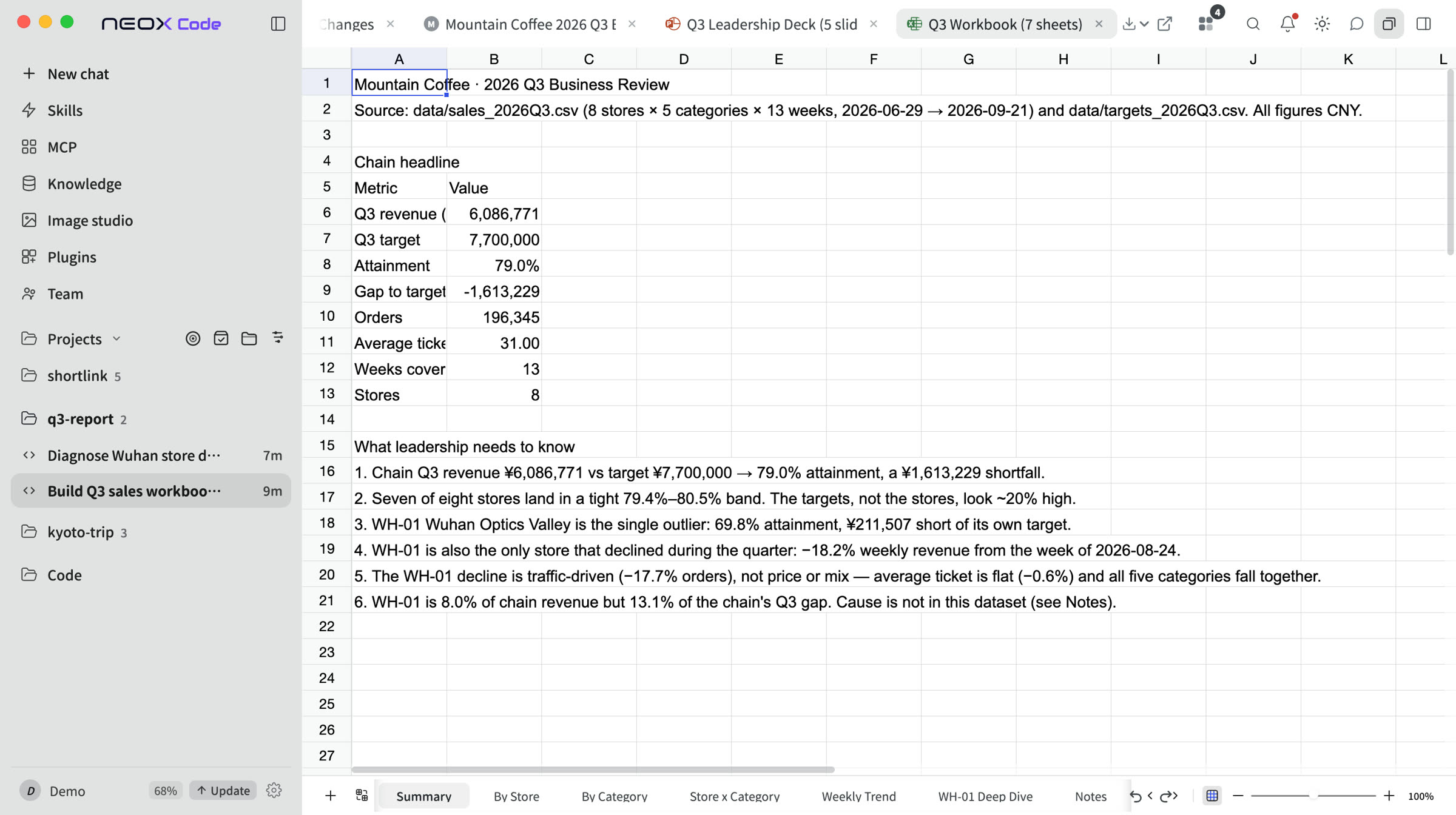
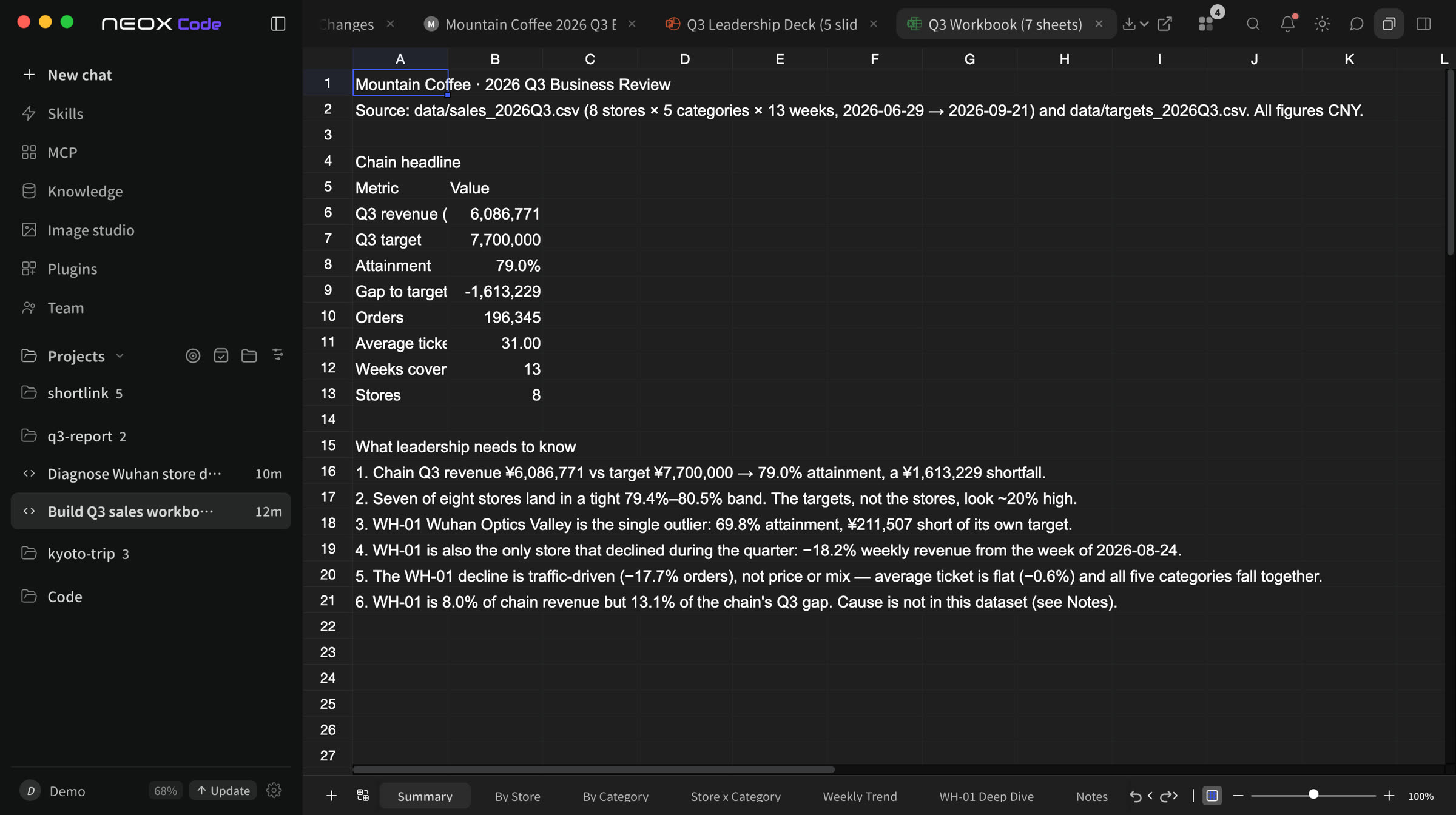
Decks, spreadsheets and documents from one sentence
- Slides built page by page, with charts and a live preview
- Excel with real formulas and auto-generated charts
- Word edits keep the original layout; export to PDF
In office mode, command execution is confined to the current working directory.
01
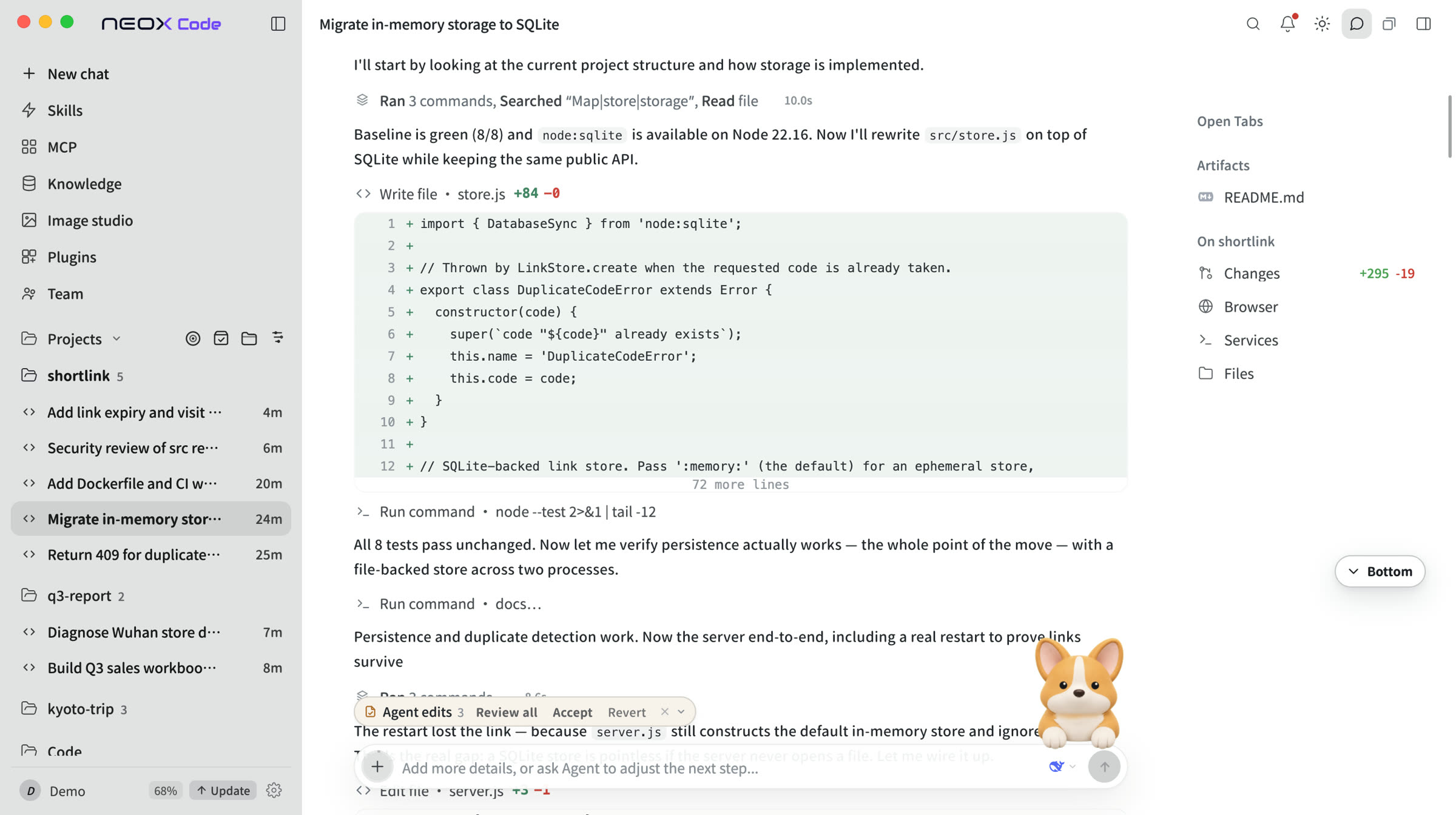
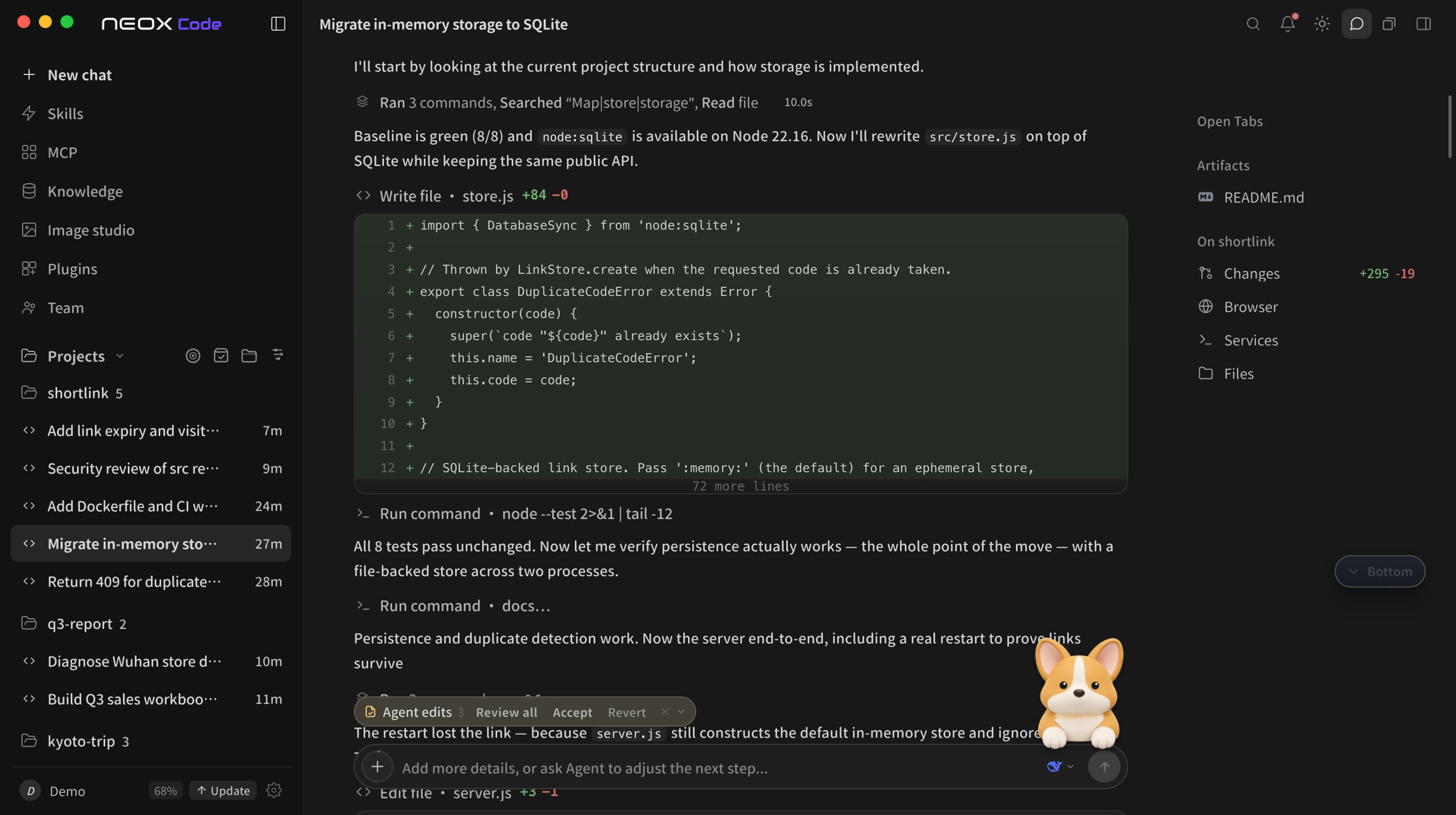
See every step
Thinking, progress and changes in real time. Step in and redirect anytime.
- Long jobs compact their context and keep going
- Roll back any changed file in one click
- See how much allowance each step used
02
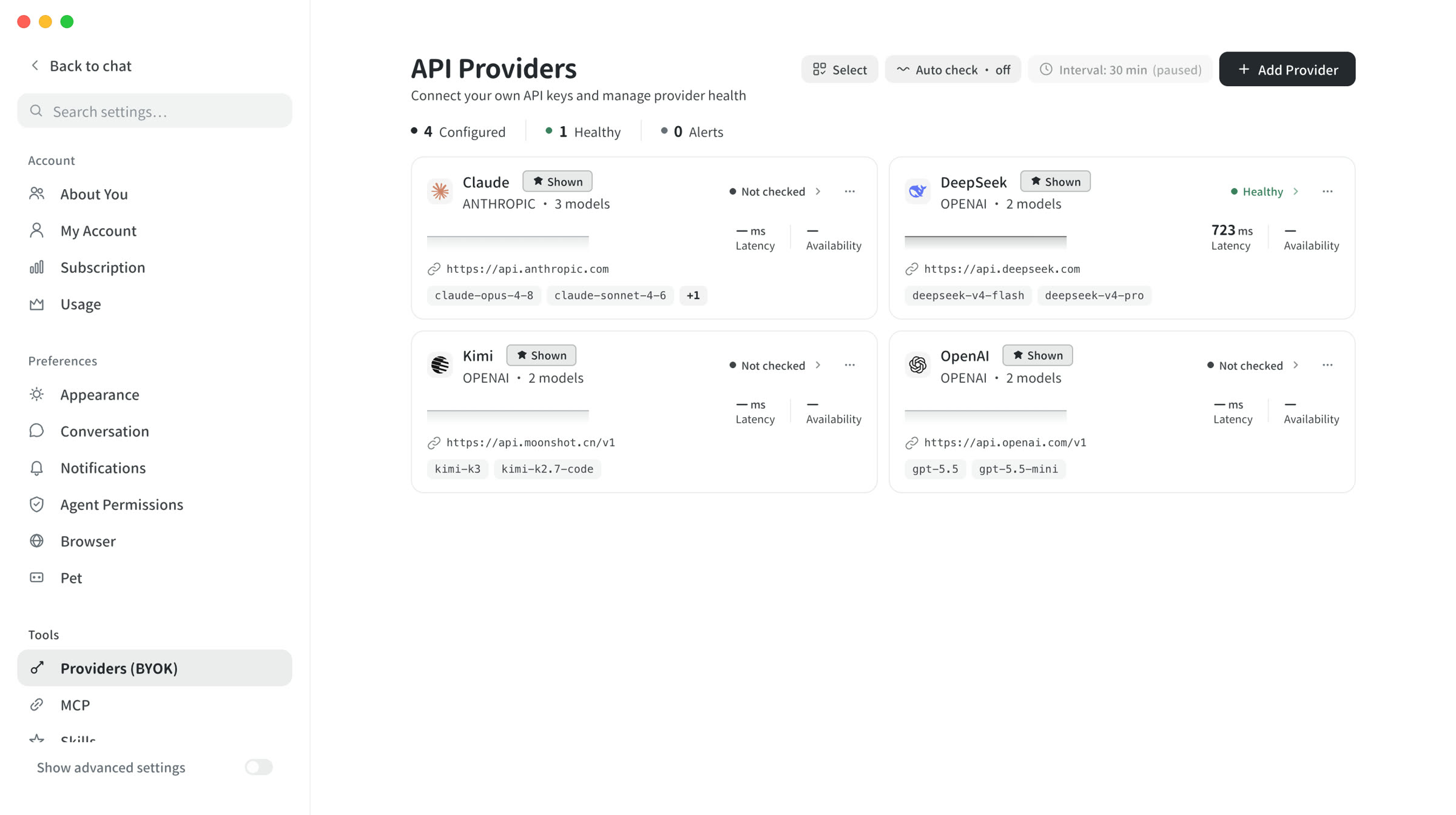
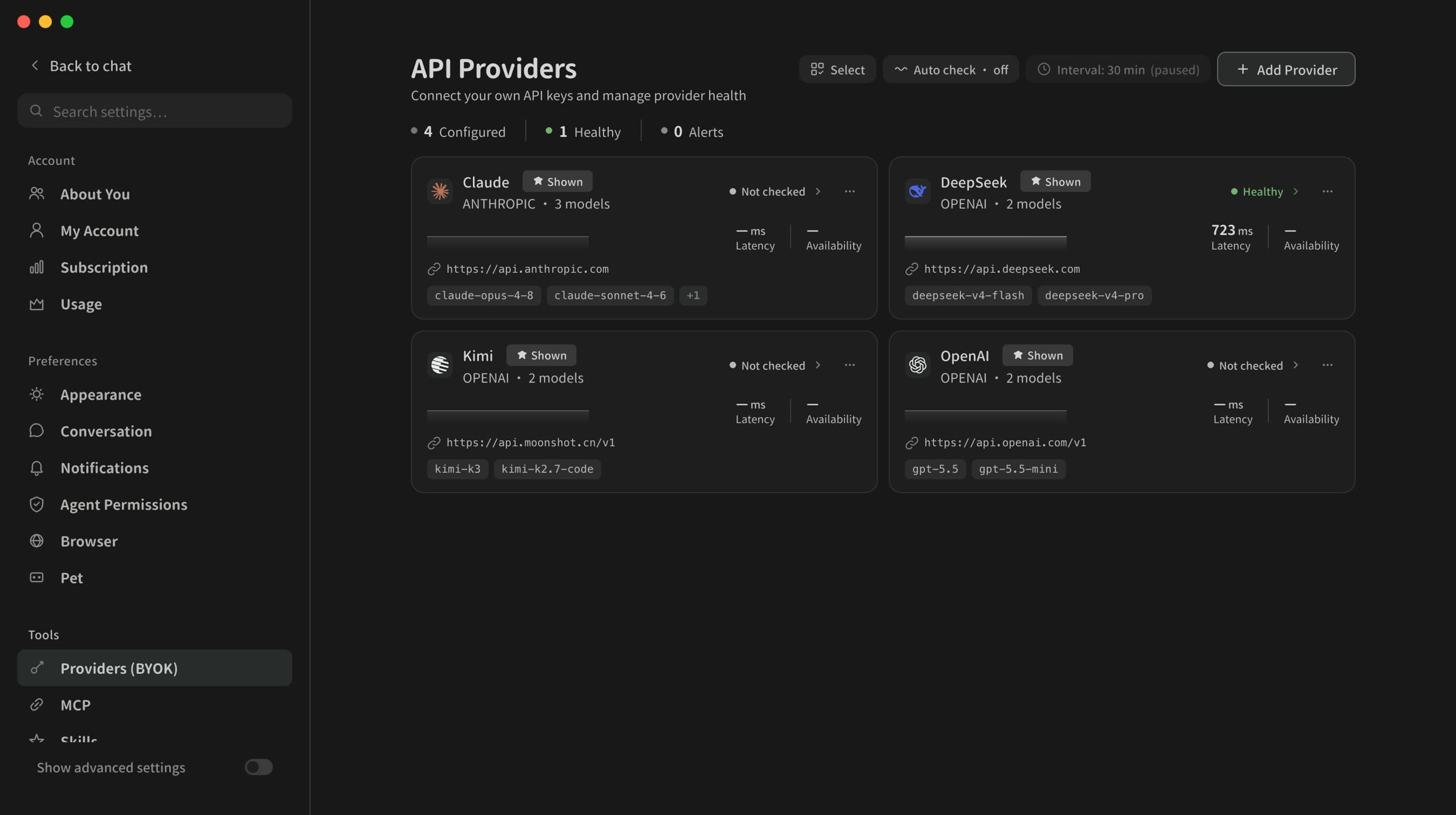
Bring your own key, every feature free
Add your own API key. Requests go straight from your machine to the provider, never through Neox.
- A dozen providers ready out of the box
- Keys encrypted on your machine, never uploaded
- All accounts and balances on one page
03
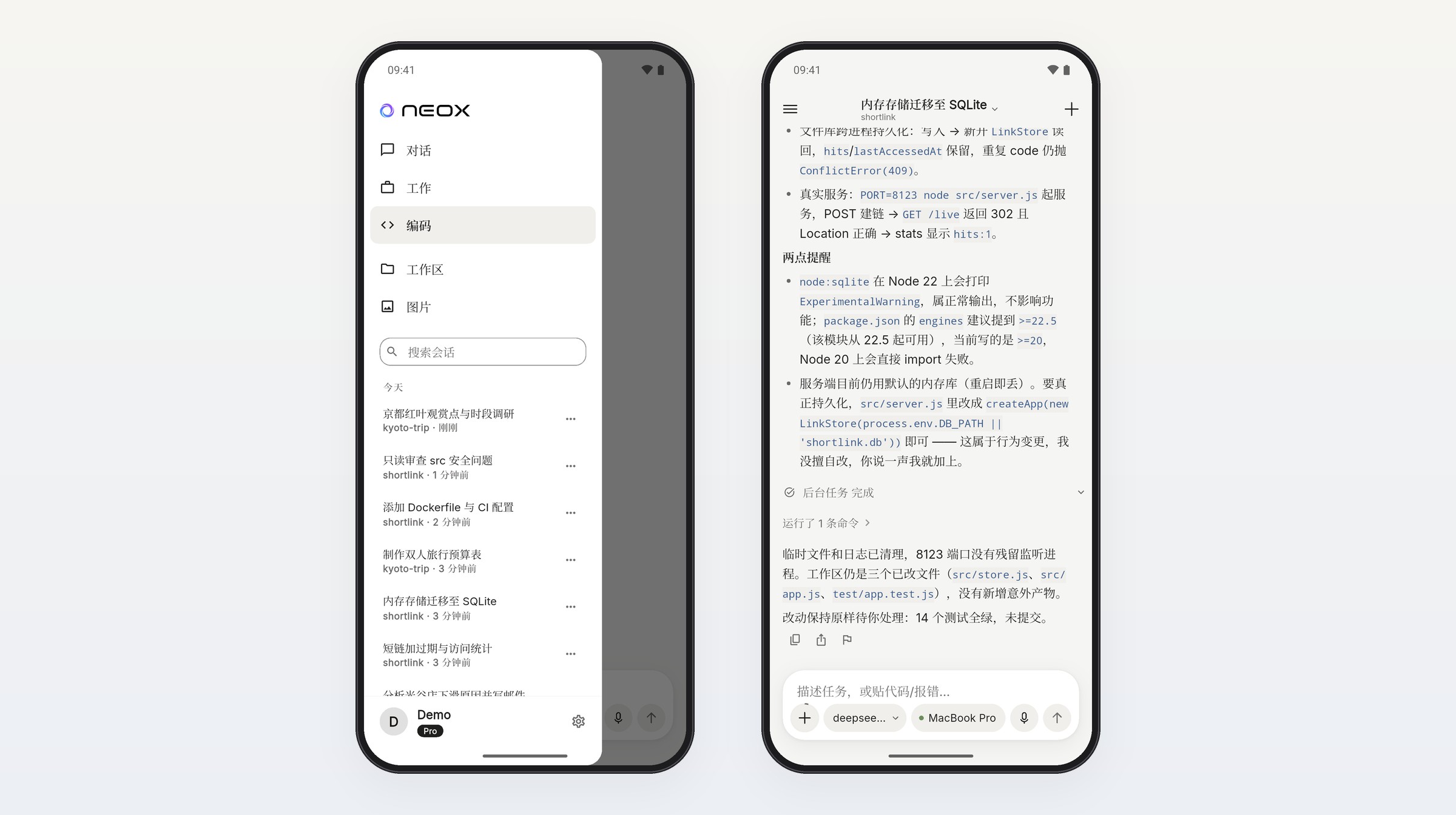
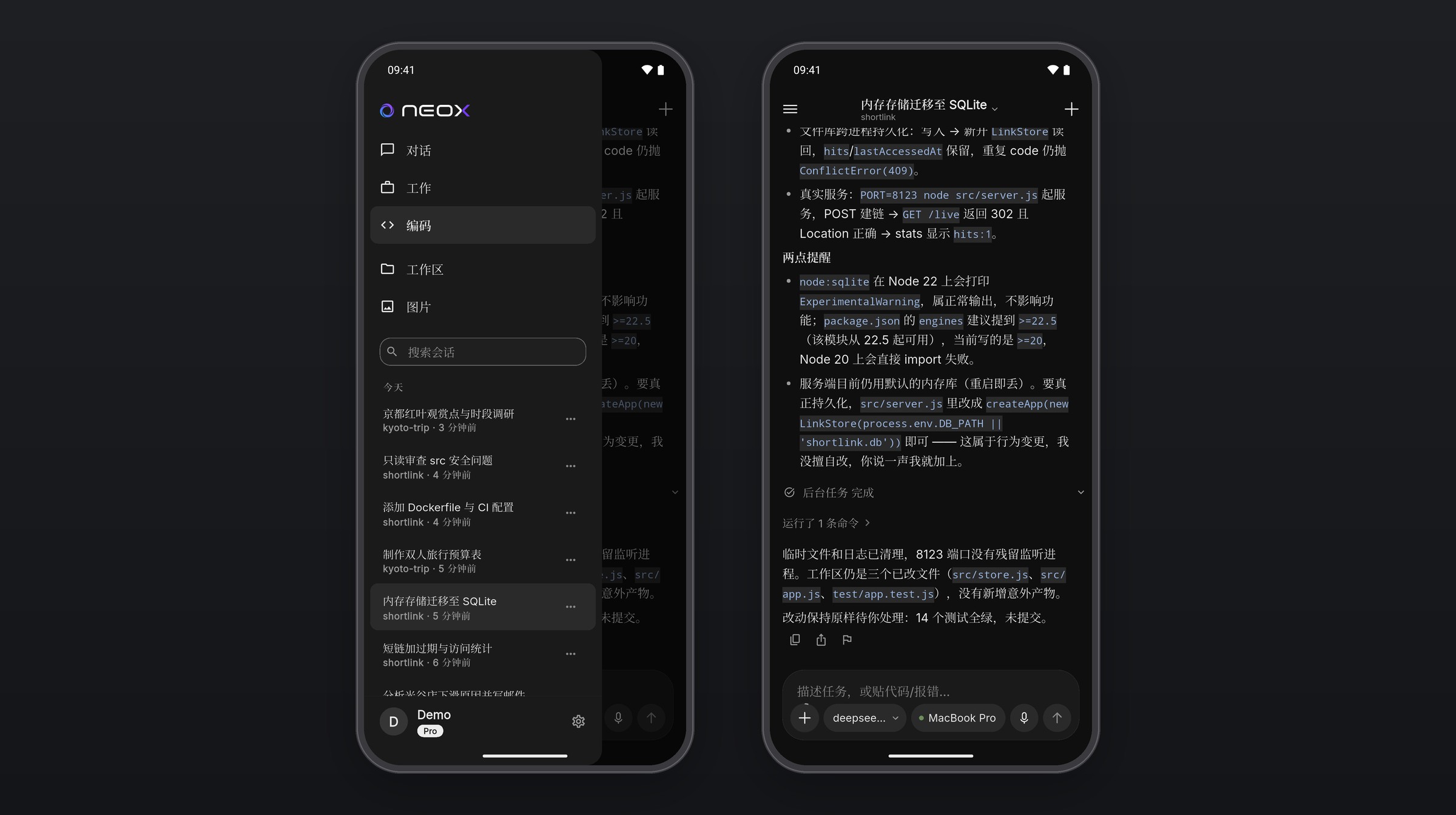
Pick up on your phone
Step away and the task keeps running. Check progress, keep chatting and approve from your phone.
- Sign in with the same account and it connects. No QR code
- Continue desktop conversations on your phone
- Direct on the same Wi-Fi; end-to-end encrypted elsewhere
HOW IT WORKS
Three steps to get started
01
Install
Desktop for macOS and Windows; Android for your phone.
02
Pick a model
Subscribe and go, or add your own API key.
03
Say what you need
Get finished files back; keep refining.
MODELS
No provider lock-in.
Supports major model providers and self-hosted gateways.
 OpenAI
 Claude
 GLM
GLM Gemini
 Kimi
Kimi DeepSeek
 Qwen
Qwen Doubao
 MiniMax
 xAI
xAI+More
Get started with Neox
Free to download. Subscribe and go, or bring your own API key and every feature is free.